No cloud - Overboard is an agent orchestrator on your Mac. Schedule repeating agents, or dispatch one-offs from Telegram or Slack.
macOS 14+ · $49, one-time · 14-day free trial
When agents do most of the work — code, content, media — your job is to decide what matters and catch what's wrong. Overboard runs the work while you're away and tells you what happened.
Give each project its agents — “Security Review at 2am,” “Write a blog post nightly,” “Social discovery every morning.” Pick a template or write the brief.
launchd wakes each slot on time, even with the app quit. Every run is a real Claude Code session in Herdr on your own subscription — no API key, no cloud, watch it live or take it over.
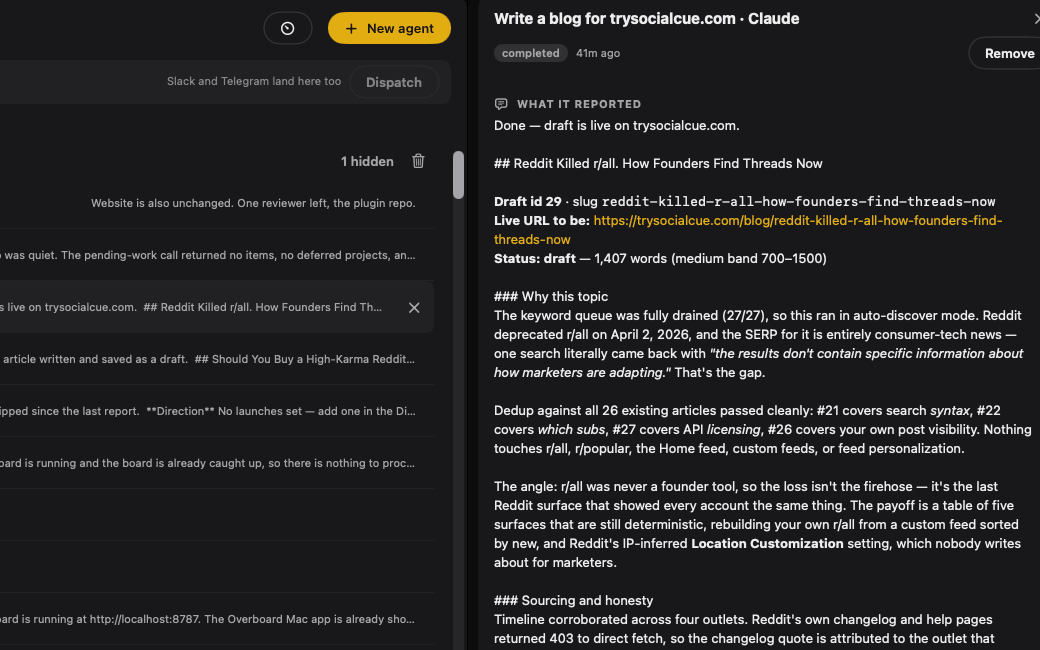
Each run's closing report is captured as prose — what it did, what it found, what it left for you. Overboard flags only the blockers that need a human.
Slots are standing orders — “Security Review at 2am,” “Write a blog post nightly,” “Social discovery every morning” — that Overboard runs as real Claude Code sessions in Herdr, queued and supervised, while you sleep.
Prefilled slots for the chores you'd never get to — Security Review, Remove Dead Code, Add Test Coverage — or any prompt or slash command from any plugin you use: write a blog post, run social discovery, cut a demo video. Daily, weekly, or every-N-hours, with an optional daytime window.
Runs happen in project folders — only. Overboard refuses to launch an agent inside the plugin cache.
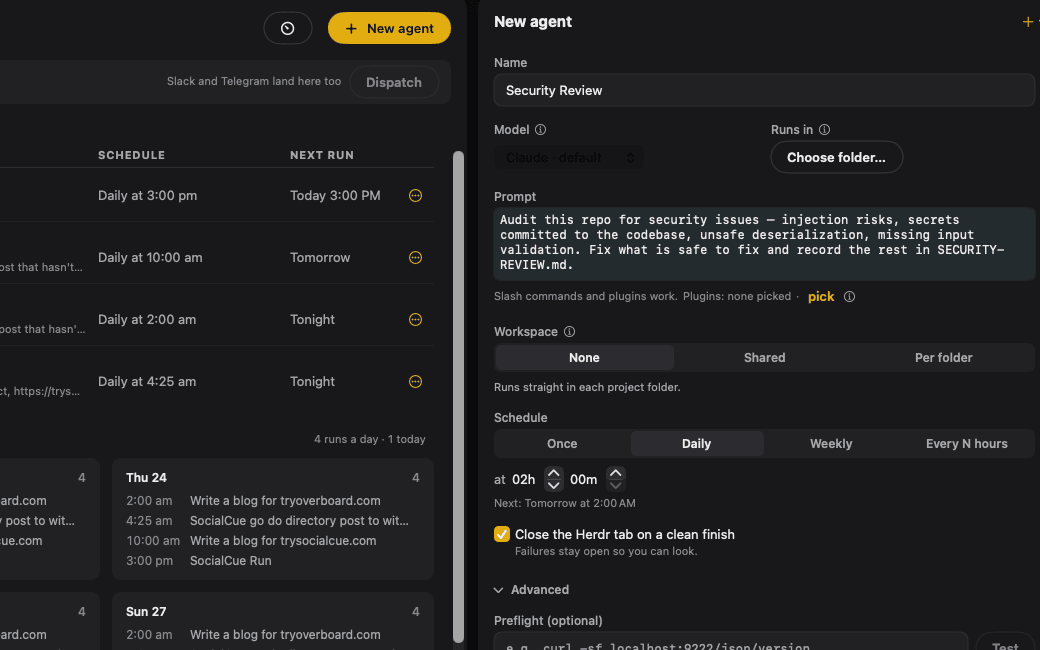
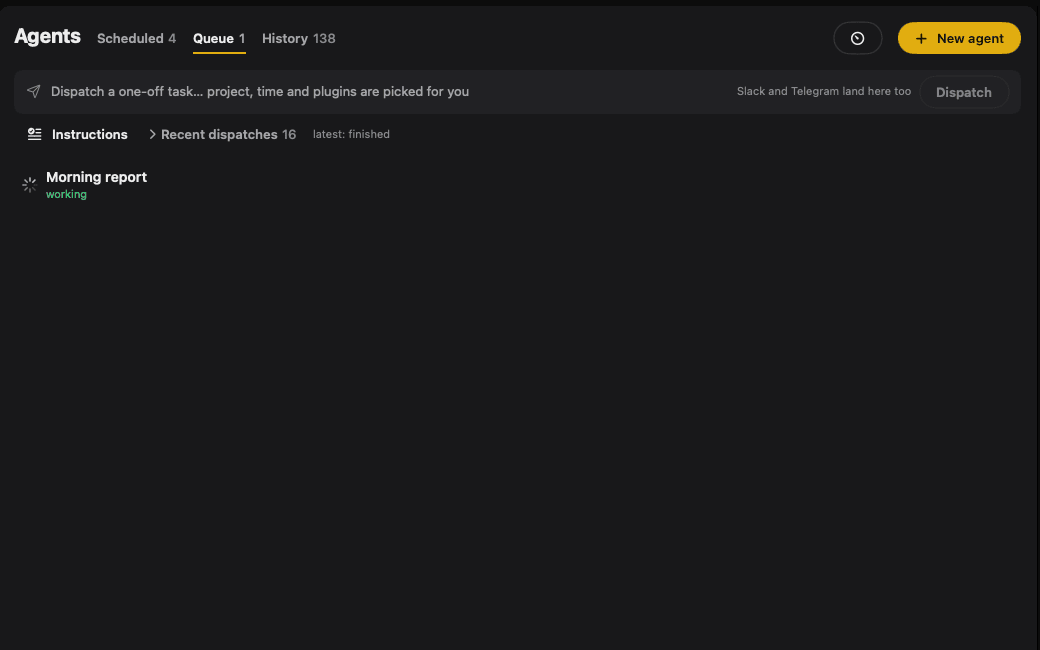
Every slot feeds one queue: priority first, then FIFO, with a concurrency cap you choose. A slot never overlaps its own next firing. Each run gets its own Herdr tab — watch it live, or hit Take over in Herdr and drive.
When a run finishes, its closing report is captured and rendered as prose — what it did, what it found, what it left for you. The raw transcript is one disclosure away. Completion comes from Claude Code's own hooks, not from scraping output.
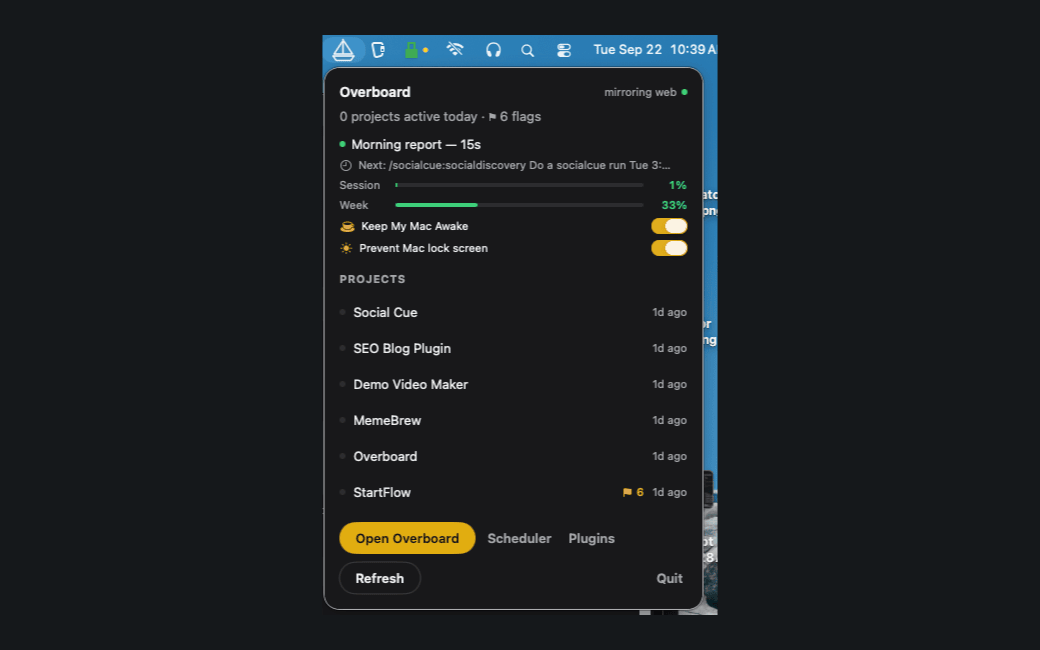
A launchd agent wakes each slot on time. Keep-awake holds your Mac up while runs are pending, with manual holds from the menu bar (1h, 2h, until 6am). A slept-through slot is recorded as skipped — never run stale.
Not at your desk? Message your Overboard bot on Telegram. A dispatcher session picks the right project, creates a one-off task, and runs it in Herdr on your Mac — replying at each step.
“Make a video meme from this link.” “Write the release notes for this week's commits.” Overboard's dispatcher resolves the project, creates the task, runs it in Herdr, and replies at each step: received, created, finished.
All Telegram I/O stays in the app — the bot token lives in your Keychain, only your chat is allowlisted, and agents never see either.
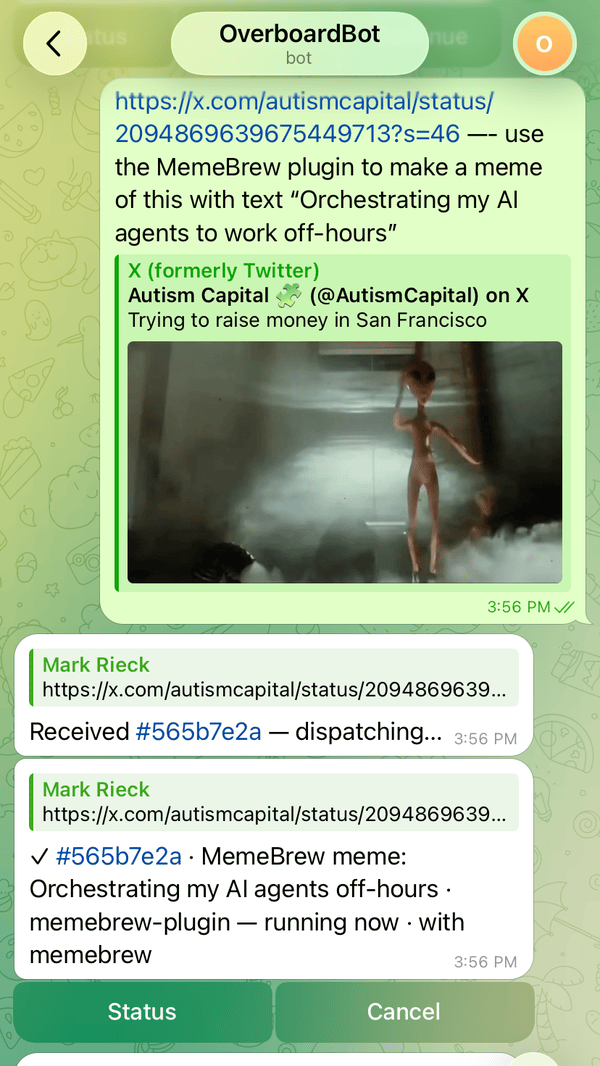
Overboard's assistant reads what every session shipped, keeps a per-project report, and flags only what needs a human: a decision, a gotcha, an assumption baked in.
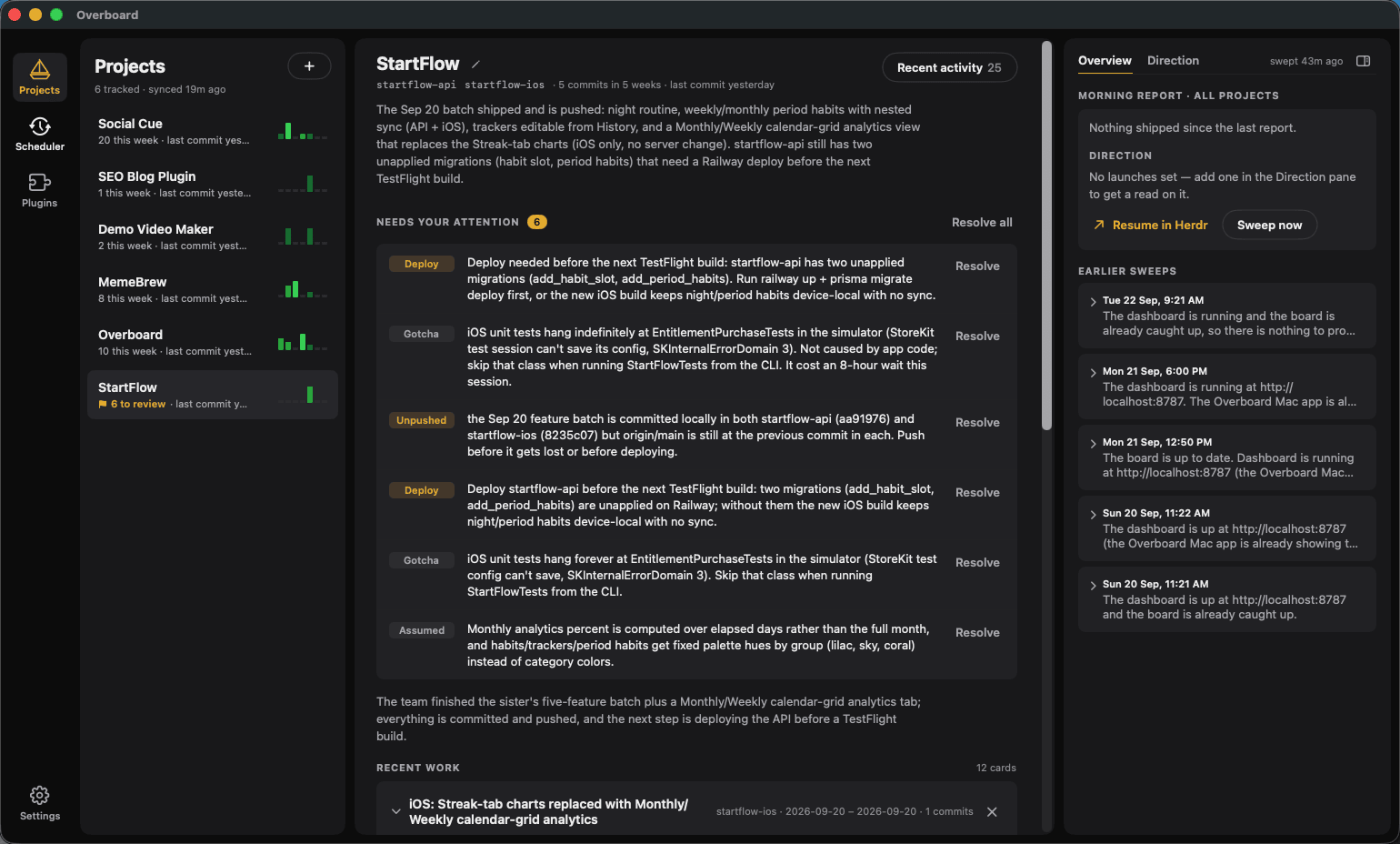
Every project in the sidebar with a five-week activity grid and a ⚑ 3 to review flag when there's something to review.
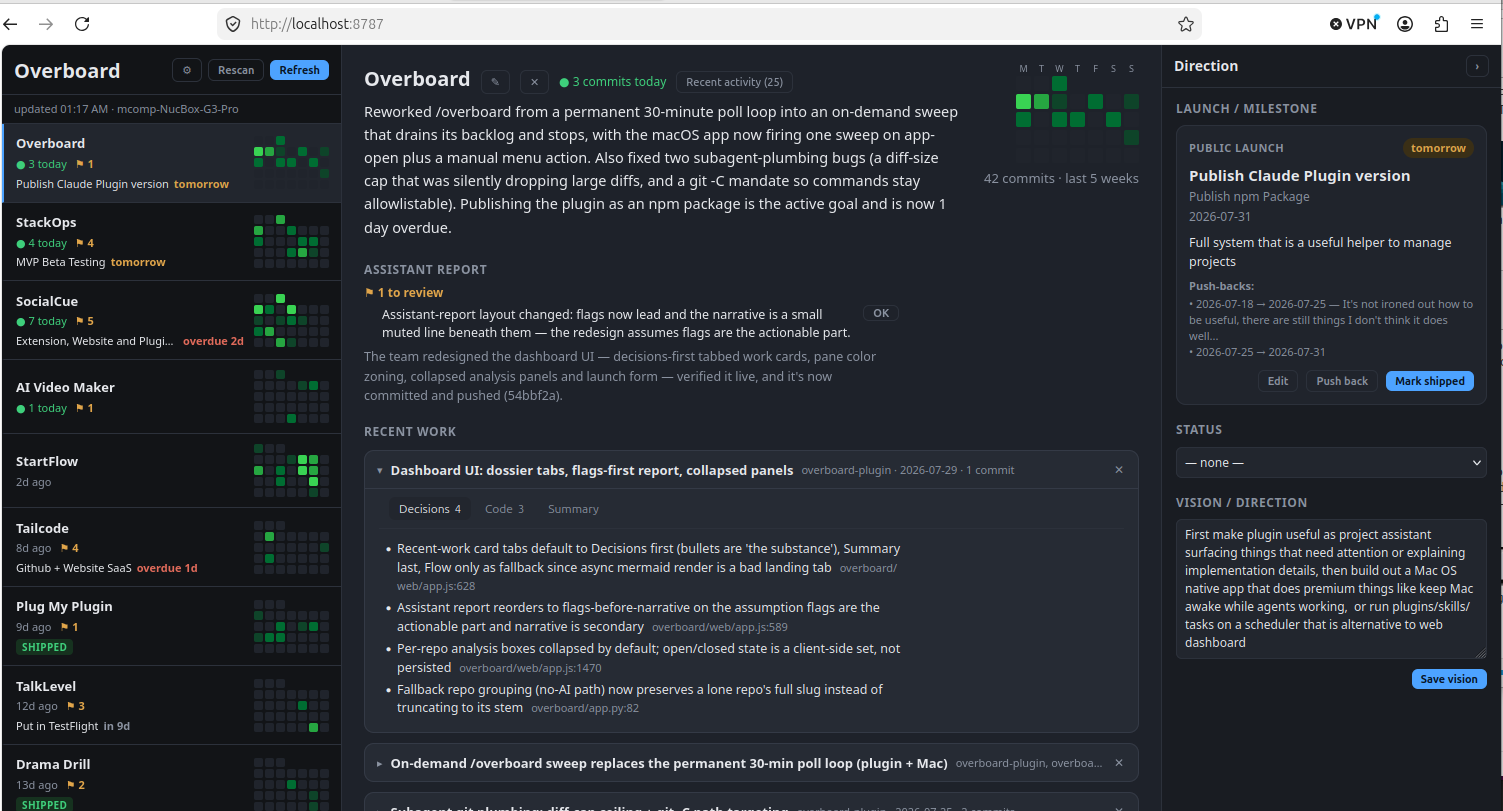
Your assistant's report per project, plus “Recent work” cards distilled from the actual git diffs.
Mermaid architecture and DB-schema diagrams, your repos' real LLM prompts, and per-repo analysis.
Set each project's launch, milestone, and vision in the Direction panel. Your assistant reads it and flags slipping launches.
Ambient and native — not another browser tab to remember.
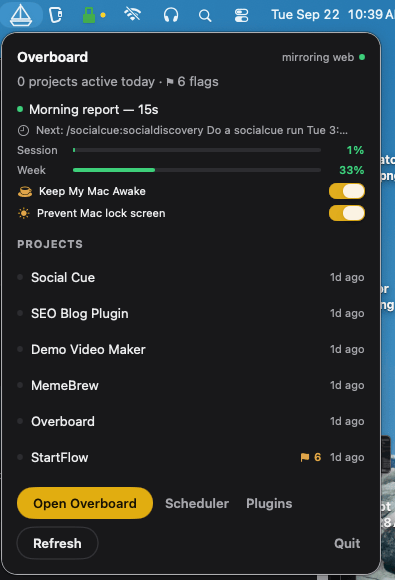
Status across every project, per-project flags, the active run and what's next, keep-awake holds, and recent activity — one click away. Sub-second updates from a native file watcher, where a browser dashboard polls every 20 seconds.
The constraints are the design. Here's exactly how it runs.
Everything runs on the Claude Max or Pro subscription you already have.
No ANTHROPIC_API_KEY, ever.
Every agent is a real interactive Claude Code session in Herdr. Watch it live, take it over mid-flight.
Everything lives on your disk. The free plugin owns it; the Mac app reads the same files. Stop paying and the plugin keeps working.
Manual vs automated. Browser vs ambient. Same data either way.
| Plugin — free | Mac app — $49 | |
|---|---|---|
| Hooks on every Claude Code session | ✓ | ✓ |
| /overboard assistant + reports + flags | ✓ | ✓ |
| Dashboard | Browser, 20s polling | Native, <1s |
| Scheduled sessions in Herdr | While the dashboard is running | launchd — fires when the app is quit |
| Global queue + concurrency | ✓ | ✓ + priority, slot templates, usage gating |
| Dispatcher — type a task, it picks the project | From the dashboard | From the dashboard and your phone |
| Keep-awake for overnight runs | — | ✓ |
| Menu bar presence | — | ✓ |
| Telegram dispatch from your phone | — | ✓ |
| Live Claude plan-usage meters | — | ✓ |
Not another subscription. Overboard runs on your Claude plan.
Or start the free 14-day trial — every feature, no email.
Real Claude Code sessions, launched for you: scheduled slots that fire on a timetable, one-off tasks you dispatch from your phone, alongside the interactive sessions you already have open. And not just coding agents — anything Claude Code can drive: writing blog posts, browsing social feeds, rendering demo videos, one-off design work. All of them are real terminal sessions in Herdr — visible, auditable, and yours to take over.
No API key, no metered API — ever. Overboard launches real Claude Code sessions on the Claude Max or Pro subscription you already pay for, so an agent that loops all night can only hit your plan's limit, never your card. Scheduled runs do consume your plan limits, which is why the Scheduler shows usage meters.
Herdr is a free, Apache-2.0 terminal multiplexer, and Overboard bundles it (the official release, re-signed for notarization, otherwise unmodified — its license opens from Overboard → Acknowledgements). Overboard schedules and dispatches; Herdr owns the terminal. Every run gets its own tab in a workspace named after its project, so you can watch or take over any agent at any time. It's required for scheduled and dispatched runs; the dashboard and menu bar work without it.
Yes. A launchd agent wakes each slot on time even if the app is quit, and Overboard holds a keep-awake assertion while runs are pending or active. Your Mac does need to be logged in for a session to spawn. If it slept through a slot, the run is recorded as skipped — never run stale.
Today: one-off tasks. Message your bot — “make a video meme from this link,” “add a changelog entry to project X” — and a dispatcher session picks the project, creates the task, runs it, and replies when it's received, created, and finished. Recurring schedules and multi-project commands from chat are on the roadmap. Your bot token and chat ID stay in the app; sessions never see them.
No. Overboard reads local files that the free plugin writes to ~/.cache/overboard/, and your commits via your own git hosts. There's no Overboard server reading your code and no telemetry.
The free plugin is the manual, browser version: hooks on every session, the /overboard assistant, a localhost dashboard, a scheduler that fires while that dashboard is running, and a dispatcher you type into. The Mac app is the unattended version: native and ambient (menu bar, sub-second updates), launchd scheduling that fires even when the app is quit, keep-awake, live usage meters, and Telegram dispatch from your phone. Same data, no hostage-taking.
14 days, everything unlocked, no email required. One license activates up to 3 Macs; deactivate a machine any time from the app to move it.
macOS 14 or later, the Claude Code CLI installed and logged in (Max or Pro plan), and Herdr for scheduled and dispatched runs. Sold through Polar, who handle VAT, receipts, and refunds. Distributed directly (notarized DMG, updates included for a year) — not the App Store, which doesn't allow spawning terminals or keep-awake.
 Overboard