The Overboard plugin turns one Claude Code session into your assistant: it watches every session across your projects, keeps a browser dashboard current, and reports what shipped — on your existing Claude plan.
Install in Claude Code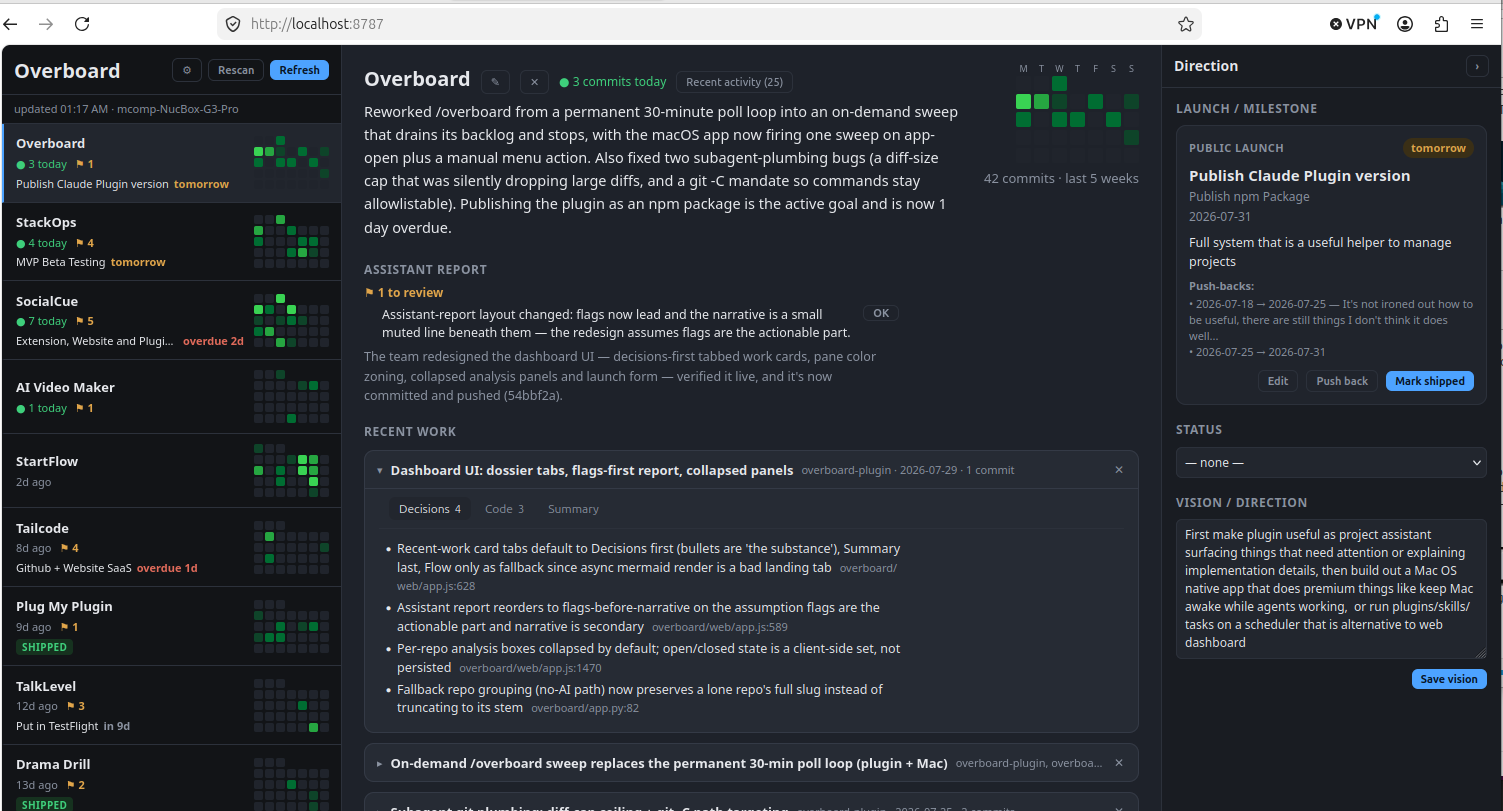
Every Claude Code session you run is observed — start, stop, tool use — and logged locally. Nothing phones home.
A strip on the left picks Projects, Scheduler or Plugins. Projects is the
three-pane board: activity grids and review flags, the selected project's
report and Recent work cards, your launch and vision context. At
localhost:8787.
Agents that run real Claude Code sessions in Herdr on a schedule (daily, weekly, every N hours, once), a 10-day agenda, run history with what each run reported — and a Dispatcher: type what should get done, a short session picks the project and the time. From your phone? That's the Mac app.
Run /overboard and your assistant sweeps the backlog: summaries,
architecture write-ups, review cards from real diffs — then stops.
Python standard library only — no pip install, no venv, no
ANTHROPIC_API_KEY. GitHub, Bitbucket, and local-only git
sources all merge into one board.
From the Productive Mark marketplace, inside Claude Code:
/plugin marketplace add mrieck/claude-plugins
/plugin install overboard@productive-mark
Then fully restart Claude Code (quit and relaunch, not just
/reload-plugins) and check /mcp shows
overboard ✔ connected. Needs python3 3.9+ on your
PATH — stock macOS and any recent Linux qualify. Run /overboard to
open the dashboard.
The plugin is manual and browser-based, and that's a fine place to start. Overboard for Mac is the automated, ambient version: scheduled overnight sessions, menu bar presence, and usage meters — $49, one-time, reading the same local data.
 Overboard