 Overboard
Claude Code Scheduled Tasks: Cloud, Desktop, or Your Mac?

Do you know the four ways to make Claude run agents while you sleep?
The official ones come in three flavors: /loop inside a session, Desktop scheduled tasks on your machine, and cloud Routines on Anthropic's servers. There's a fourth option that Anthropic's docs don't mention, which is letting your own Mac run tasks with launchd. That's the one I use most, and it's the one I built Overboard around.
The four ways to schedule Claude Code, side by side
Anthropic's own scheduling docs compare the three built-in options. I've added the fourth column, because that's the one most indie devs end up needing.
/loop— runs on your machine, inside an open session. Minimum interval one minute. Dies when the session does.Desktop scheduled tasks — runs on your machine from the Claude Desktop app. Full access to local files. Only fires while the app is open and the Mac is awake.
Cloud Routines — runs on Anthropic-managed infrastructure. Your laptop can be closed. Works from a fresh clone of a GitHub repo, so no local files. Minimum interval one hour.
Your own Mac with launchd — runs on your machine as a real Claude Code session, fired by the OS scheduler even when no app is open. Full local access, no cloud, no API key.
All four run on your Claude subscription. None of them needs an ANTHROPIC_API_KEY, which matters more than it sounds: anyone who has used the API understands that costs for the same task are an order of magnitude higher. API costs for your daily work could bankrupt you.
/loop: fine if the terminal is open
/loop 5m check the deploy is the fastest way to get Claude polling something. It converts your interval to a cron expression and re-fires the prompt between turns.
The catch is right in the docs: tasks are session-scoped. Close the terminal and they stop.
Desktop scheduled tasks: local files, but needs an awake Mac
The Claude Desktop app's Routines page has a Local option. Each task gets a prompt, a working folder, a permission mode, and a schedule from hourly to weekly. Runs start a fresh session and can read and write your actual files, run your actual tools, and use your local MCP config. The docs say: "Tasks only run while the desktop app is running and your computer is awake. If your computer sleeps through a scheduled time, the run is skipped."
Cloud Routines: your laptop can be closed, but the agent can't see it

Routines shipped in April 2026 and work well for repeating code tasks. You save a prompt, pick one or more GitHub repos and a cloud environment, and attach triggers: a schedule, an HTTP endpoint, or GitHub events like a PR opening. Runs happen in Anthropic's cloud with no permission prompts, so your Mac can be off.
Read the Routines docs closely and the shape becomes clear. Every run starts from a fresh clone of the repo's default branch. There are no local files, no local claude mcp add servers (those live on your machine, not your claude.ai account), and the default network policy is an allowlist. Changes land on claude/-prefixed branches.
That's the right design for "review every PR against our checklist" or "port merged changes to the other SDK". It's the wrong design for the jobs I actually wanted to hand off: write tonight's blog post, browse Reddit in my logged-in Chrome profile for threads worth joining, run the "meme harvester" or build a short-form listicle video for one of my projects. Those need my machine, my browser sessions, my context and my files.
The fourth option: Overboard agent orchestrator
This is the reason I built Overboard. No cloud. Your Mac turns into the scheduler, running entirely on the Claude Max or Pro plan you already pay for. Nothing leaves the machine, any agent has all the context it needs.
Here's how it works. Each project gets standing orders: commit review for all repos, write a blog post nightly, find relevant threads on social media using the browser, submit my product to one of 200 product directories overnight. A slot can be any prompt or slash command from any plugin you use, on a daily, weekly, or every-N-hours cadence. A launchd agent wakes each slot on time, even with the app quit, so there's no browser tab or desktop app to keep open. While runs are pending, Overboard holds a keep-awake assertion, with manual holds from the menu bar if you want them.
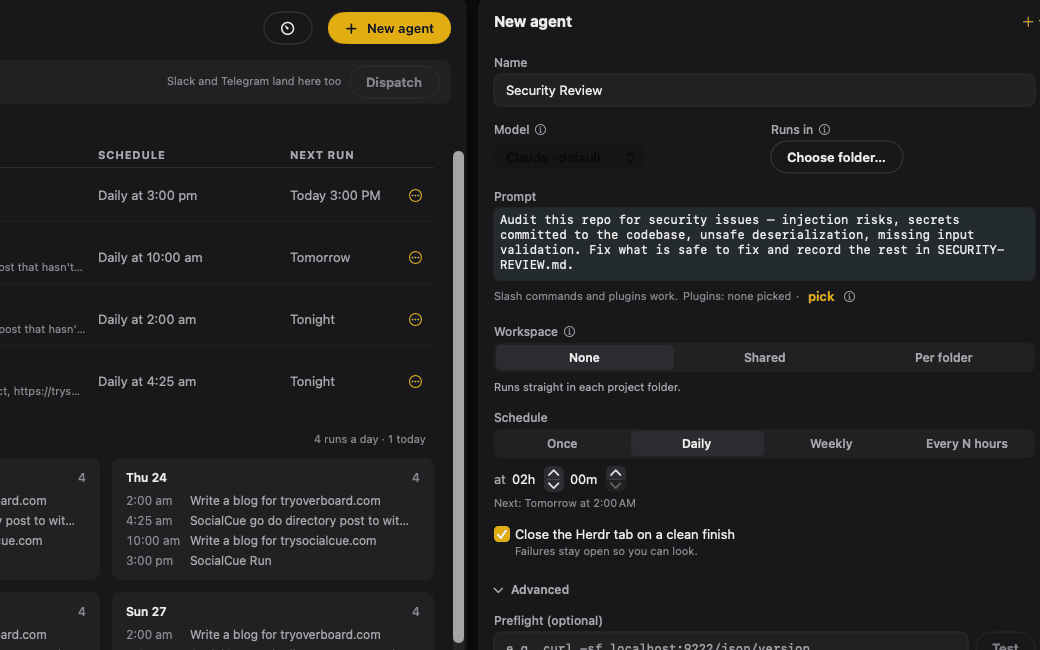
Every run is a real interactive Claude Code session in Herdr, a free, Apache-2.0 terminal multiplexer. You can open the tab in Herdr, watch the agent work, and take over mid-flight.
The constraints are the same as local routines, except the App ships with options to Keep Mac Awake and Prevent Lock screen. With those two options on, your Mac can run 24/7 doing agentic tasks.
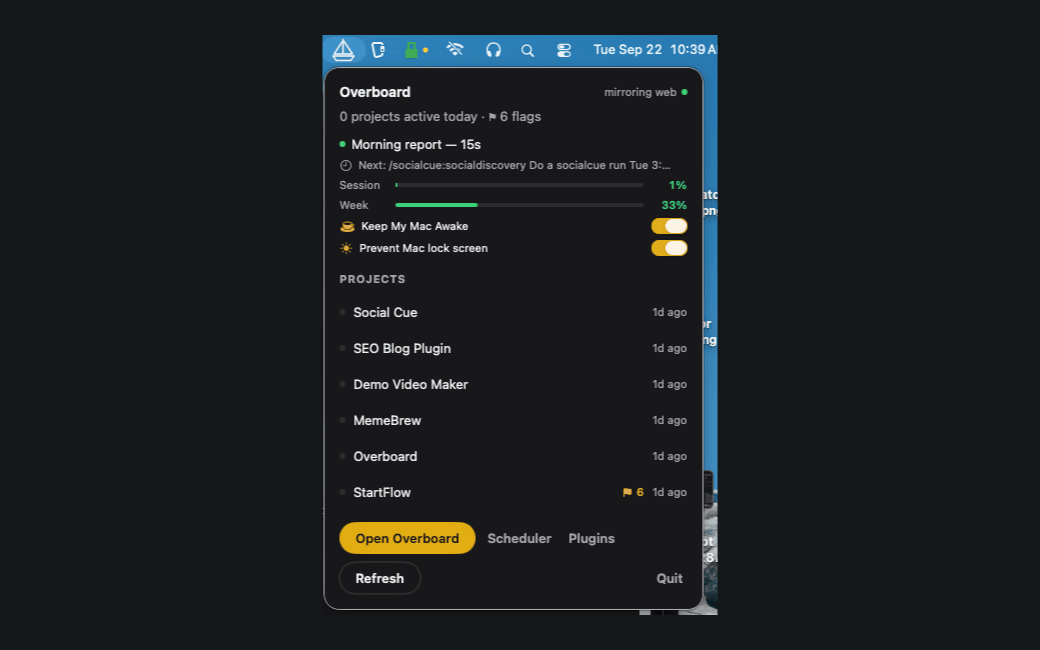
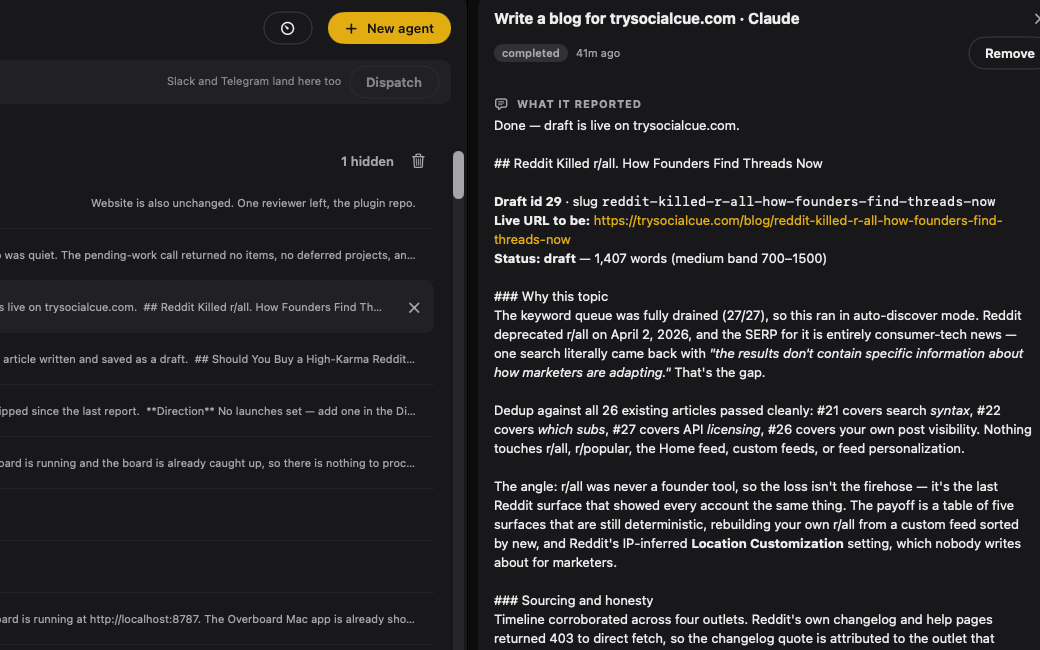
When a run finishes, its closing report is captured from Claude Code's own hooks. In addition to running tasks, Overboard knows all your local projects, has a commit review that flags blockers on your projects that need a human.
Not at your desk? Text a one-off task to your Overboard bot in Telegram or Slack and a dispatcher session picks the right folder, plugins, whatever it needs to run it in Herdr. The dispatcher really is great because I don't have to be specific, if I say "Create a meme using this video with this text" it knows about my meme-making project. It picks the right folder/plugin/agent for the job. For scheduled overnight tasks you can also specify the model, or even use Codex. Integrating with Codex further is on the roadmap. Anthropic will never make their routines or automation work with other agents, so having your scheduler able to run agents from multiple subscription plans will be the right choice.
Shipping too much?
If you are shipping too much and running too many agents where it's getting out of control, Overboard can help. Overboard for Mac is free to download with everything unlocked for 14 days. If you like it and it improves your workflows, it's a one-time $49 payment to get a license to run on multiple Macs.